

 By
By The just released EverWeb 4.4 for Mac and Windows is a huge update that’s been in the works for a while. This release will give your website design a whole new range of features, especially if you’re building Responsive websites!
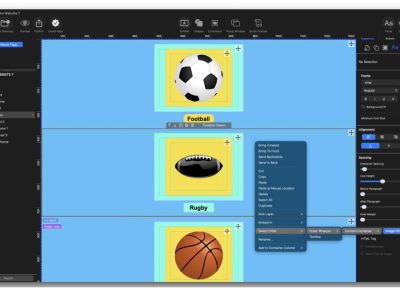
The headline feature of EverWeb 4.4 is Containers which give you great design flexibility for responsive websites. You can add almost any object in to a Container, and these objects can be placed either in a column, row or free flow format. You can even nest containers within containers which will expand your design possibilities. When used within a Responsive Row, you can easily design features that would replace using widgets such as the Text Section or FlexBox widget.
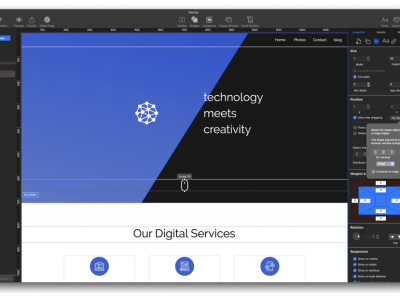
There’s a lot more to enjoy apart from Container. You now have 41 mouse transitions and animations that can be applied to most objects. EverWeb’s new Scrolling Effects let you pin objects that you need to your pages such as social media icons, plus there’s a new margins and padding section which can be applied to many different types of objects. Borders are also a nice new design addition where you can adjust any corner of objects such as an image, a rectangle shape, the corners of a Responsive Row or Container.
These are just some of the headline features of EverWeb 4.4 for macOS and Windows. There’s a whole lot more to discover, which we will also be covering at AAI in the future!
In the meantime, here’s a list of the major new features which we will be covering in depth soon:
- Shape Fill Border Options
- Mouse Transitions & Animations, on hover and/or on mouse down
- Containers with Row, Column or Free Flow formats
- Margins and Padding
- Scrolling Effects – pin objects to your page and add up to seven effects to the pinned object
- Navigation Menu Widget gains new mouse down effects – a much requested feature!
You can download the latest version of EverWeb through the app itself if you already have a current EverWeb license. For Mac users, just go to the EverWeb, Check for Update…menu option. For Windows users, go to the Help, Check for Updates… menu option.
For this update we recommend reading the revised EverWeb User Manual for a full breakdown of all the new features!
Let us know what you think of the new EverWeb! It’s a big leap forward in website design.



 Loading ...

Comments